
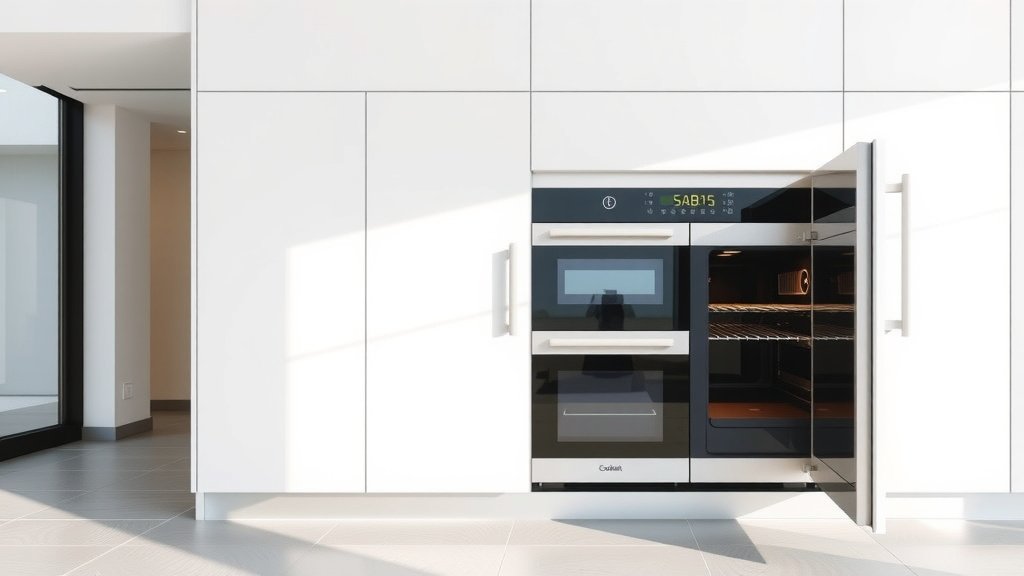
To use Sabbath Mode on a double oven, you generally activate it by pressing a specific button or a combination of buttons on your control panel, usually found after setting your desired cooking temperature.
This special mode keeps your oven heating without automatic shut-off or display changes, accommodating religious observance requirements for uninterrupted cooking.
- Sabbath Mode allows your oven to operate continuously without electronic feedback or automatic shut-off.
- You’ll typically activate it through a specific sequence on your oven’s control panel, often after setting a temperature.
- For double ovens, you usually engage Sabbath Mode for each cavity independently if you wish to use both.
- Always consult your oven’s specific manual for precise activation and deactivation steps for your model.
How To Use Sabbath Mode On A Double Oven?
Using Sabbath Mode on your double oven means understanding its purpose and following a few simple steps for proper activation. It helps you prepare food without violating religious principles that restrict using electricity or making active adjustments.
What is Sabbath Mode, Anyway?
Sabbath Mode is a feature on many modern ovens designed to accommodate religious observances, particularly the Jewish Sabbath and holidays. During these times, certain electrical operations are restricted.
This mode allows your oven to stay on for an extended period, maintaining a set temperature without requiring any new interaction. It’s truly a thoughtful design for those who need it.
Understanding the Basics
When active, Sabbath Mode typically disables automatic shut-off functions, internal oven lights, and audible beeps. It also often freezes the display, so it doesn’t show changes when opened or closed.
You can set the oven temperature before activating the mode, and it will maintain that heat until you manually deactivate it later. Think of it as a silent, steady workhorse for your cooking.
Why Double Ovens Need Special Attention
A double oven offers two independent cooking cavities, which is great for large meals. For Sabbath Mode, this means you might need to activate the mode for each oven section separately.
Whether you’re using both or just one, understanding how your particular model handles each cavity is quite important. Many experts say to check each control panel section.
Is Your Oven Sabbath Mode Compatible?
Not all ovens come with Sabbath Mode. The very first step is to confirm your double oven actually has this feature. How can you tell?
Check your owner’s manual, often found online if you don’t have the physical copy. The manual will clearly state if your oven is equipped with a Sabbath Mode function and how to use it.
Step-by-Step Guide to Activating Sabbath Mode
While specific steps vary by brand, a general approach for most double ovens works well. We found that these steps are common across many models (Appliance Manufacturers’ Guides).
Typically, you’ll first turn on the desired oven cavity and set your cooking temperature. Then, you’ll engage the special mode.
Here’s a typical sequence:
- Turn on the desired upper or lower oven cavity.
- Set the temperature you need for your cooking.
- Locate the Sabbath Mode button or setting on your control panel. This might be a dedicated button or an option within a menu.
- Press and hold the button, or select the option, to activate. You might see a specific indicator light or a “SAb” display.
- Confirm the mode is active.
Setting Temperatures and Timers
Once Sabbath Mode is active, you generally cannot change the temperature or set a timer without deactivating the mode first. It’s designed to be a hands-off operation.
So, plan your cooking temperature carefully before entering the mode. Any adjustments would require a full reset.
Managing Both Oven Cavities
If you plan to use both the upper and lower ovens in Sabbath Mode, you’ll likely repeat the activation process for each. Treat them as two separate units.
We found that some high-end models might offer a combined activation, but it’s rare. Always consult your specific manual to be sure.
| Oven Brand (Example) | Common Activation Hint |
|---|---|
| Whirlpool / KitchenAid | Press and hold BAKE for 5 seconds, then confirm. |
| GE Appliances | Press and hold the BAKE and BROIL pads for 3 seconds. |
| Samsung | Navigate to ‘Settings’ then ‘Sabbath Mode’ on the digital display. |
| Frigidaire | Press and hold ‘Bake’ and ‘Clock’ simultaneously for 3 seconds. |
What Happens When Sabbath Mode is Active?
Once activated, your oven behaves differently to adhere to specific religious guidelines. It’s designed to remove all direct electrical interaction.
The goal is to allow food to cook or stay warm without any overt electronic activity or decision-making on your part.
No Display Changes or Audible Beeps
The display typically goes blank or remains static, showing “SAb” or a similar indicator. It won’t react to door openings or show countdowns.
More importantly, you won’t hear any chimes, alerts, or beeps, ensuring a silent operation. This keeps the environment calm and free from distractions.
No Automatic Shut-Off
The oven will not turn off automatically after a certain time, as some standard oven settings might dictate. It will maintain the set temperature continuously.
This allows for extended cooking or warming periods without intervention, a primary benefit of this mode. Just remember to turn it off when no longer needed.
Safety First: Important Considerations
Leaving an oven on for extended periods requires diligence. Ensure good ventilation in your kitchen and never leave the oven unattended if you’re not nearby.
While the oven is designed for this, food safety is also critical. Make sure food is kept at safe temperatures to prevent spoilage, especially if warming for many hours (USDA guidelines).
Deactivating Sabbath Mode
Turning off Sabbath Mode is usually as simple as activating it, often involving the same button sequence. You generally want to deactivate it when your period of observance ends.
Many models require you to press and hold the same button or combination for a few seconds. The “SAb” indicator will then disappear, and your oven will return to normal operation.
Sabbath Mode Preparation Checklist
Getting ready for Sabbath Mode use can save you headaches. A little planning goes a long way:
- Read your specific oven manual for precise instructions.
- Set your desired cooking temperature *before* activating the mode.
- Place all food inside the oven before activating.
- Ensure adequate kitchen ventilation, especially for long cooking times.
- Plan when you will deactivate the mode.
Common Hiccups and Troubleshooting
What if Sabbath Mode doesn’t seem to work, or the display isn’t acting as expected? Don’t panic; it’s often a simple fix.
Sometimes, users might not hold the button long enough, or they miss a step in the sequence. Always re-read your manual’s exact instructions.
When to Call for Support
If you’ve followed all the steps in your manual and the oven still isn’t entering or exiting Sabbath Mode correctly, it might be time for professional help. There could be a technical issue.
Contact your appliance manufacturer’s customer service or a certified technician. They can offer specific guidance for your oven model.
Conclusion
Using Sabbath Mode on your double oven empowers you to uphold religious practices while preparing delicious meals. It removes the need for electrical interaction, offering a consistent heating solution.
By understanding your oven’s manual, following activation steps carefully, and prioritizing safety, you can confidently use this practical feature. It truly makes a difference in many households.
What is the main benefit of using Sabbath Mode on an oven?
The main benefit is allowing the oven to operate continuously, maintaining a set temperature for extended periods without requiring manual intervention, digital display changes, or audible alerts, which adheres to religious observances that restrict using electricity.
Can I change the temperature once Sabbath Mode is activated?
No, generally you cannot change the temperature once Sabbath Mode is activated. The oven is designed to maintain the initial temperature setting without further adjustments. To change the temperature, you would typically need to deactivate the mode and then reactivate it with the new setting.
Does Sabbath Mode work on both ovens in a double oven setup simultaneously?
For most double ovens, you usually need to activate Sabbath Mode independently for each oven cavity you wish to use. While some advanced models might offer a combined activation, it’s safer to assume you’ll manage each oven separately unless your manual states otherwise.
Is it safe to leave my oven on for many hours in Sabbath Mode?
Yes, ovens with Sabbath Mode are designed and tested to operate safely for extended periods. However, it’s always wise to ensure good kitchen ventilation and follow general food safety guidelines, especially regarding the holding temperature of your food.
What should I do if my oven’s display doesn’t change when I activate Sabbath Mode?
If your oven’s display doesn’t show “SAb” or a similar indicator after activation, first double-check your owner’s manual for the exact sequence. Ensure you’re holding buttons for the specified duration. If it still doesn’t work, there might be a minor technical glitch, and consulting customer support is a good next step.
