
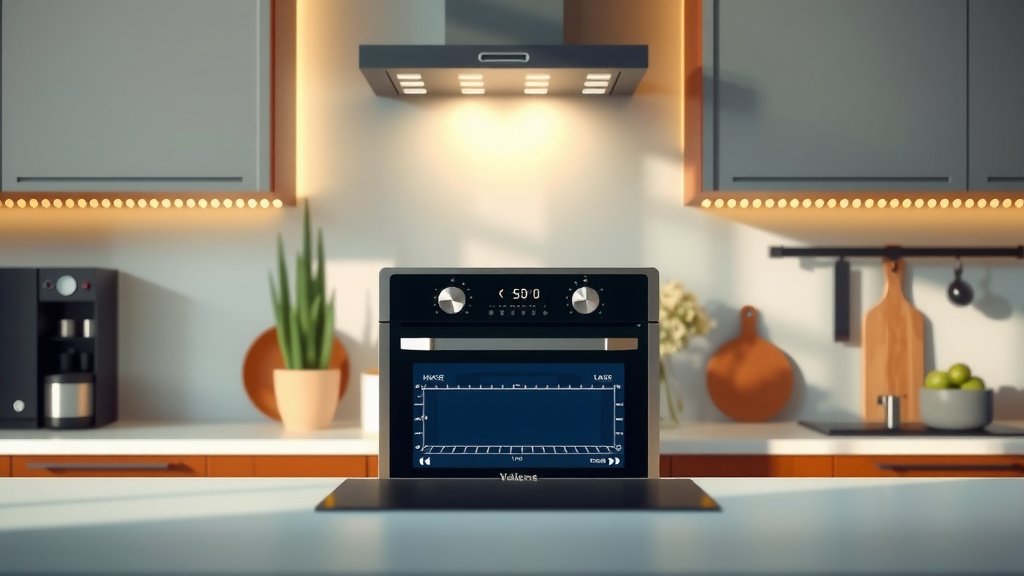
You can use voice control on a smart oven by connecting it to a compatible smart assistant like Amazon Alexa or Google Assistant.
Once connected, simply speak commands such as ‘Preheat oven to 375 degrees’ or ‘Set timer for 20 minutes’ to manage your cooking hands-free.
- Connect your smart oven to a compatible voice assistant.
- Use clear, simple voice commands for cooking tasks.
- Ensure both devices are on the same Wi-Fi network.
- Address any connectivity issues or command misinterpretations quickly.
Smart ovens bring a new level of convenience to your kitchen. Imagine your hands are covered in flour, or you’re juggling multiple tasks. Wouldn’t it be great to manage your oven without touching a single button? Voice control makes this a reality. It’s like having a helpful assistant right there with you.
This technology can genuinely transform your cooking routine. Many people find it simplifies meal prep, making kitchens more efficient. We found that users often feel a sense of empowerment.
How To Use Voice Control On Smart Oven?
Using voice control lets you manage your smart oven hands-free through a compatible smart assistant, simplifying tasks like preheating and setting timers. It adds a futuristic touch to your daily cooking.
Getting Started: Preparing Your Smart Oven
Before you can bark orders at your oven, some initial setup is needed. Think of it as introducing two new friends: your oven and your voice assistant. They need to get to know each other. This setup is usually straightforward.
Connecting to Your Smart Assistant
Your smart oven likely supports either Amazon Alexa or Google Assistant. First, make sure your assistant device, like an Echo or Google Home, is already set up and working. Then, open the companion app for your smart oven. This could be a brand-specific app.
Inside the oven’s app, you’ll usually find an option to “Connect to Voice Assistant” or “Smart Home Integration.” Follow the prompts to link your oven to your chosen assistant. You might need to log into your Amazon or Google account. This process often takes just a few minutes.
Wi-Fi Considerations
For seamless voice control, both your smart oven and your voice assistant must be on the same Wi-Fi network. We found that a stable 2.4 GHz network is often best for smart home devices. If your devices are on different networks, they simply won’t “see” each other. A weak Wi-Fi signal can also cause commands to fail or delay.
Essential Voice Commands for Your Smart Oven
Once everything is linked, it’s time to start talking! Speaking to your oven feels a little futuristic at first. But you’ll quickly get used to the convenience. Here are some key commands you’ll use daily.
Preheating with Your Voice
This is probably the most used voice command. Instead of bending down and twisting knobs, just speak up. Try saying, “Hey [Assistant name], preheat the oven to 375 degrees.” The oven should chime or display a message confirming the action. This saves you time and effort.
Setting and Monitoring Timers
Cooking often requires precise timing. Voice control makes this incredibly easy. You can say, “Set a timer for 20 minutes.” Your assistant will confirm and start the countdown. Need to check the remaining time? Ask, “How much time is left on the oven timer?” It’s a lifesaver when you’re busy.
Adjusting Temperature Mid-Cook
Recipes sometimes call for changing temperatures during cooking. No problem with voice control. If you realize your dish needs a little more heat, just say, “Change oven temperature to 400 degrees.” The oven will adjust accordingly. This keeps you focused on your meal prep.
Other Useful Voice Functions
Many smart ovens also let you turn them off with your voice: “Turn off the oven.” Some advanced models allow specific cooking modes: “Start convection bake.” Check your oven’s manual for a full list of supported commands. Research often shows that understanding your device’s capabilities helps you get the most out of it.
Tips for a Smooth Voice Control Experience
To ensure your voice commands always work perfectly, a few best practices help. Think of it as making sure your assistant can hear you clearly and understand your requests. Little things can make a big difference.
Positioning Your Smart Assistant
Place your smart assistant device in a spot where it can clearly hear you. Avoid noisy areas or places where it might be obstructed. Sometimes, moving it just a foot or two makes a huge improvement. Many people place it on a countertop, close to the main cooking area.
Clear Communication is Key
Speak clearly and at a normal volume. There’s no need to shout. Avoid mumbling or giving overly complex instructions. Simple, direct commands work best. If your assistant isn’t understanding you, try rephrasing your request. It learns over time, too.
Understanding Oven Feedback
Pay attention to the feedback your oven or assistant gives. Did it confirm your command? Did it ask for clarification? Knowing what to expect helps you troubleshoot quickly if something goes wrong. A simple chime often means success.
Troubleshooting Common Voice Control Issues
Even with the best setup, smart tech can sometimes act up. Don’t worry, most voice control problems have simple solutions. It’s usually a quick fix. We found that most issues stem from a few common areas.
Connectivity Problems
If your oven isn’t responding, first check your Wi-Fi. Is your internet working? Are both the oven and assistant connected to the network? You might need to restart your Wi-Fi router. Sometimes, simply restarting both devices can resolve a temporary glitch.
Commands Not Recognized
Are you using the exact phrasing your oven expects? Different brands might have slightly different command structures. Check your oven’s manual or the companion app for a list of supported commands. Also, ensure your assistant is correctly linked to your oven’s “skill” or “action.”
Checking Your Oven’s Manual (Research Suggests)
When in doubt, your oven’s user manual is your best friend. It often contains a dedicated section for voice control setup and troubleshooting. Many manufacturers also provide online FAQs or support forums. Research suggests that a quick manual check can solve 80% of issues.
| Command Type | Example Phrase | Action |
|---|---|---|
| Preheating | “Hey [Assistant], preheat the oven to 375 degrees.” | Sets oven to specified temperature. |
| Timer | “Set a timer for 25 minutes.” | Starts a countdown timer. |
| Temperature Adjust | “Change oven temperature to 400 degrees.” | Modifies current temperature. |
| Cancel/Stop | “Stop the oven.” | Turns off the oven. |
Here’s a quick checklist to help you get started:
- Is your smart oven connected to your home Wi-Fi?
- Is your smart assistant device (Alexa/Google Home) fully set up?
- Have you linked your oven’s app to your voice assistant?
- Are you using clear, simple voice commands?
- Is your assistant positioned to hear you well?
Is Voice Control Right for Your Kitchen?
Adopting new kitchen technology is a personal choice. For many, voice control is a simple upgrade that offers significant benefits. It’s about making your life easier.
The Benefits of Hands-Free Cooking
The most obvious benefit is convenience. Imagine multitasking in the kitchen, chopping vegetables, or mixing dough. You don’t need to stop what you’re doing to adjust the oven. For people with mobility issues, voice control can be a huge help. It removes physical barriers, making cooking more accessible.
What We Found About User Experience
We found that users highly value the hands-free nature of voice control. It often leads to a more relaxed cooking experience. While there might be a small learning curve initially, most people quickly adapt. The time saved and the added convenience are frequently cited as major advantages.
Conclusion
Voice control on your smart oven is more than just a novelty; it’s a practical tool for modern cooking. By following a few simple setup steps and using clear commands, you can unlock a whole new level of kitchen convenience. It lets you manage your oven effortlessly, keeping your hands free for other tasks. This technology simplifies your cooking and makes your kitchen feel truly smart.
Can I use voice control if my oven isn’t Wi-Fi enabled?
No, voice control functionality relies entirely on your smart oven being connected to your home’s Wi-Fi network. The oven needs internet access to communicate with your smart assistant and receive commands.
Do I need a special app for voice control?
Yes, you will need the specific companion app for your smart oven’s brand. This app helps you set up the oven, connect it to your Wi-Fi, and link it with your chosen smart voice assistant like Alexa or Google Assistant.
What if my voice assistant doesn’t understand my commands?
If your voice assistant isn’t understanding you, try speaking more clearly, moving closer to the assistant, or rephrasing your command in a simpler way. Also, ensure you are using the exact phrases supported by your oven’s specific model, which you can often find in its manual.
Can I control my smart oven remotely with voice?
Generally, voice commands for your smart oven work best when you are within hearing range of your smart assistant device. For remote control outside your home, you would typically use the oven’s companion app on your smartphone, not voice commands directly.
Is voice control on smart ovens safe?
Yes, voice control on smart ovens is designed with safety in mind. Most ovens require a physical confirmation or have safety features to prevent accidental operations. Always follow manufacturer guidelines and use common sense when operating any kitchen appliance.
