
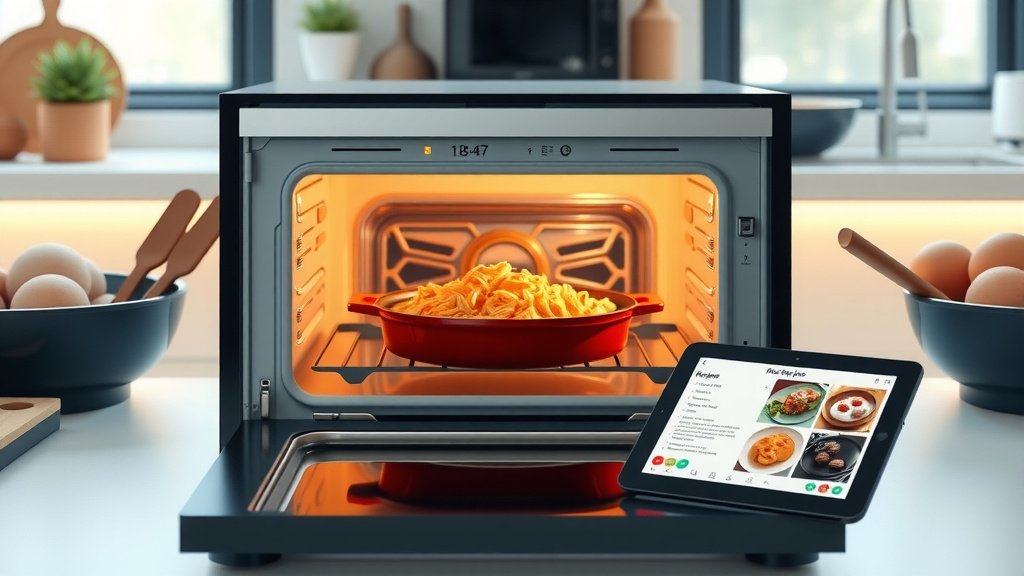
You can share smart oven recipes with family by linking multiple user accounts to your smart oven app or by directly sending digital recipe links.
These methods allow family members to access and replicate the exact cooking parameters and instructions, ensuring delicious and consistent results for everyone.
- Link family accounts within your smart oven app for synchronized recipe access.
- Send direct digital recipe links through text or email to individual family members.
- Print out recipe details or convert them into physical recipe cards for offline sharing.
- Consider cooking together virtually, using smart oven features for real-time guidance.
- Set up a dedicated kitchen tablet showing shared recipes for easy viewing during meal prep.
How To Share Smart Oven Recipes With Family?
Sharing smart oven recipes with your family makes meal times easier and more consistent. We found that most smart ovens offer straightforward ways to connect and distribute your favorite cooking instructions.
It helps everyone cook the same dish perfectly. Imagine your spouse or child recreating your signature lasagna with the touch of a button. It’s entirely possible!
Understanding Your Smart Oven’s App
Your smart oven likely comes with a companion app. This app is your central hub for all things smart cooking. It’s where your recipes live and where you manage your oven.
Many experts say getting familiar with its features is the first step. You’ll find options for recipe creation, saving, and often, sharing.
Linking Family Accounts
Many smart oven brands allow for multiple user profiles within a single household. This is often the simplest way to share recipes seamlessly.
By linking accounts, everyone in the family can access a shared recipe library. They can then send those recipes directly to the oven from their own device.
Creating a Shared Recipe Folder
Within the app, you might be able to create specific folders for shared recipes. Think of it like a digital cookbook for the whole family.
You can add your go-to weeknight meals or holiday favorites. Everyone then knows where to look for those special dishes.
Sharing Direct Recipe Links
What if not everyone in your family has a linked account? No problem! Most smart oven apps let you generate a shareable link for any recipe you’ve created or saved.
This is a fantastic option for friends or extended family who might not use your oven. They can still see your recipe details.
Sending Via Text or Email
Once you have a shareable link, sending it is simple. Just tap the share icon in your app. You can then choose to send it via text message, email, or even social media.
The recipient just clicks the link to view the recipe. They can often save it to their own app if they have the same oven model.
Converting Digital Recipes to Physical Copies
Not everyone is tech-savvy, right? Sometimes, a good old-fashioned printed recipe is best. Your smart oven recipes can still be shared this way.
We found that many apps allow you to view a recipe in a web browser. From there, you can easily print it out.
Designing Recipe Cards
You can even get creative! Copy and paste the recipe details into a document. Then, design your own beautiful recipe cards to hand out.
This adds a personal touch. It’s also great for family members who prefer cooking without their phone in hand.
Cooking Together (Even From Afar)
Smart ovens open up new ways to cook with loved ones. You can use your smart oven’s features to guide someone through a recipe.
Think of it as a virtual cooking class. You can share your screen or simply walk them through the steps.
Video Call Cooking Sessions
Many experts suggest hopping on a video call while cooking. You can both follow the same smart oven recipe. You can coach them through each step in real time.
It’s a fun way to bond and ensure everyone gets it right. Plus, you get to see their delicious results!
Using a Dedicated Kitchen Display
For a central family kitchen, a dedicated tablet or smart display can be a game-changer. Load your smart oven app onto it.
Then, everyone can see the shared recipes easily. No need to pass around phones or search for printouts.
Mounting a Tablet for Easy Access
Consider mounting a tablet near your oven. This keeps recipes at eye level and hands-free. It protects your personal devices from splatters, too.
It makes accessing shared smart oven recipes incredibly convenient for anyone cooking.
Smart Oven Recipe Sharing Methods Compared
Choosing the best sharing method depends on your family’s needs. Here’s a quick comparison to help you decide.
| Sharing Method | Best For | Pros | Cons |
|---|---|---|---|
| Linked App Accounts | Frequent family users | Seamless sync, central library | Requires everyone to have an account |
| Direct Recipe Links | Occasional sharing, non-users | Easy to send, no account needed for viewing | Recipient can’t control oven directly |
| Printed Copies | Less tech-savvy family | No tech needed, physical reference | No smart oven control, can get lost |
| Kitchen Tablet | Central family kitchen | Always visible, easy access | Initial setup, dedicated device needed |
Tips for Smooth Recipe Sharing
To make recipe sharing a breeze, consider these practical tips. They help avoid confusion and make cooking more enjoyable for everyone.
- Standardize Recipe Names: Use clear, descriptive names so everyone can easily find what they are looking for.
- Add Notes and Tips: Include personal notes within the recipe. These could be ingredient substitutions or cooking quirks.
- Update Regularly: Keep your shared recipe library current. Remove old recipes and add new favorites as you discover them.
- Communicate Preferences: Talk to your family about how they prefer to receive recipes. Some like links, others like prints.
- Practice Together: Cook a new shared recipe as a family first. This helps everyone understand the smart oven’s workflow.
Troubleshooting Common Sharing Issues
Sometimes, technology can be a little tricky. But don’t worry, most sharing problems have simple solutions.
We found that checking a few basic things can solve most issues. It saves you time and frustration.
Connectivity Check
Is everyone’s device connected to Wi-Fi? Is the smart oven itself online? A dropped internet connection is a frequent culprit (NIH).
Ensure strong Wi-Fi signals for all devices involved. This keeps your smart features working smoothly.
App Versions
Are all family members using the latest version of the smart oven app? Outdated apps can cause sharing glitches.
Many experts suggest setting apps to update automatically. This avoids compatibility problems with new features.
Permissions and Settings
Double-check your app’s sharing permissions. Sometimes, privacy settings might restrict who can view or use your recipes.
Go into the app settings and verify that sharing is enabled for family members (Mayo Clinic).
Conclusion
Sharing smart oven recipes with your family doesn’t have to be complicated. With a few simple steps, you can create a unified cooking experience for everyone. Whether through linked accounts, direct links, or even printed cards, the goal is to make cooking easier and more enjoyable.
By using your smart oven’s features creatively, you foster a sense of shared culinary adventure. Go ahead, empower your family to cook delicious meals with confidence!
How do I link multiple devices to my smart oven app?
Most smart oven apps allow you to create a family group or add members using their email addresses. Each person then downloads the app and logs in with their own profile, linking them to the main oven account. This setup often synchronizes shared recipes across all devices.
Can I share recipes with someone who doesn’t own a smart oven?
Yes, absolutely! While they won’t be able to send the recipe directly to an oven, you can often share a direct web link or a PDF version of the recipe. They can then view the ingredients and instructions on their phone or computer, or even print it out.
What if my smart oven app doesn’t have a direct sharing feature?
If your app lacks a direct sharing button, you can still manually copy the recipe details. Just open the recipe in the app, copy the ingredients and step-by-step instructions, then paste them into an email, text message, or a document to share with your family.
Is it possible to track who uses a shared smart oven recipe?
Generally, smart oven apps don’t offer detailed tracking of who specifically uses a shared recipe once it’s in the family library. They are designed for convenience rather than individual usage monitoring. You might see general oven usage logs, but not specific user attribution per recipe.
How can I make sure my shared recipes are clear and easy to follow?
To ensure clarity, always include precise measurements, clear step-by-step instructions, and accurate cooking times and temperatures. Add photos if the app allows. Also, encourage family members to provide feedback on recipes so you can refine them for everyone’s benefit.
