
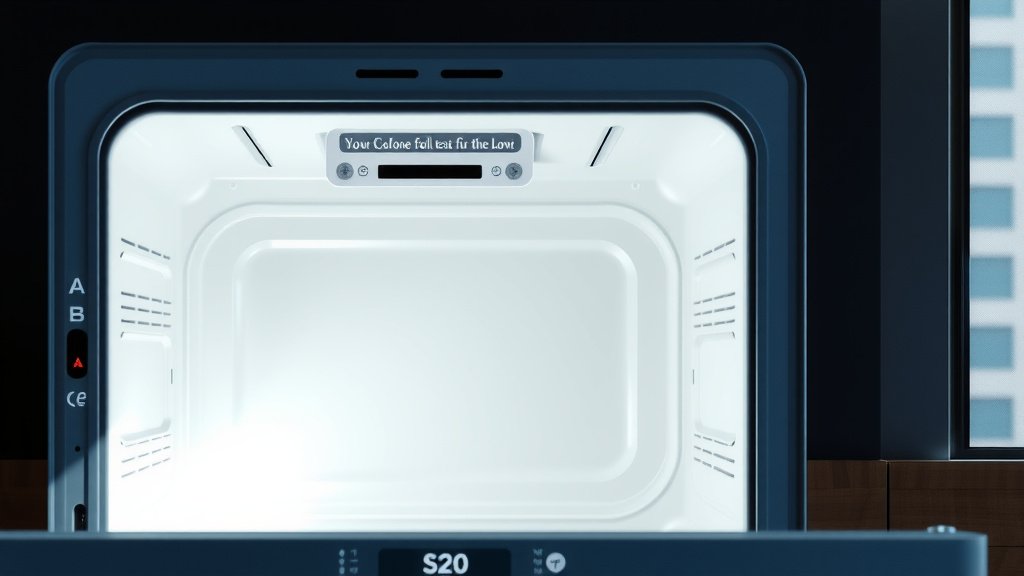
To clean a smart oven with self-clean mode, first remove all racks and large debris. Then, initiate the self-clean cycle according to your oven’s instructions, typically found on the control panel or app.
Once the high-heat cycle completes and the oven cools, you simply wipe away the remaining ash with a damp cloth, revealing a sparkling interior.
Here’s a quick overview of how to clean your smart oven effectively:
- Prepare your oven by removing racks and loose food.
- Ensure your kitchen is well-ventilated during the cycle.
- Start the self-clean cycle as per your oven’s manual.
- Allow the oven to cool completely after the cycle.
- Wipe out the fine ash residue for a clean finish.
How To Clean Smart Oven With Self Clean Mode?
Cleaning your smart oven using its self-clean mode is a straightforward process that uses high heat to burn away food residue. This method helps you maintain a clean and hygienic cooking space with minimal effort.
Why Your Smart Oven Needs a Self-Clean Cycle
Cooking often leaves behind spills, splatters, and baked-on grease. Over time, these can affect your oven’s performance and even impact food flavor. Many experts say that regular cleaning also extends the lifespan of your appliance (Appliance Standards Awareness Project).
Understanding the Self-Clean Process
A smart oven’s self-clean cycle heats the oven to extremely high temperatures, often around 900°F (482°C). This intense heat turns food debris into a fine ash. It’s like giving your oven a super-hot sauna session to sweat out the grime.
Essential Prep Before You Start
Before you hit that self-clean button, a little preparation goes a long way. Think of it as getting ready for a big workout; you wouldn’t just jump in, right? Taking these steps helps keep your oven safe and gets the best results.
What to Remove from Your Oven
You must remove everything from inside your oven before starting the cycle. This includes oven racks, broiler pans, aluminum foil, and any baking stones. These items are not designed for the extreme temperatures of a self-clean cycle and could be damaged or even cause issues.
Many manufacturers recommend removing these items to prevent discoloration or warping. Some racks, especially if they are porcelain-coated, might even lose their shine or protective layer during the intense heat.
Safety First: Ventilating Your Kitchen
The self-clean cycle can produce smoke and a distinct smell. This is normal, but it’s still important to have good ventilation. Open nearby windows and turn on your kitchen exhaust fan.
We found that adequate ventilation helps to dissipate any odors and keeps your home air fresh. It’s like opening a window when something’s burning on the stove – a simple precaution for comfort.
Step-by-Step Guide to Self-Cleaning Your Smart Oven
Ready to get started? Cleaning your smart oven with its self-clean feature is fairly simple once you know the steps. Just follow these instructions to bring back that sparkle.
Activating the Self-Clean Mode
Most smart ovens have a dedicated “Self Clean” button or setting on their control panel. Some even allow you to start it remotely through a smart app. Choose the desired cleaning time, which usually ranges from 2 to 5 hours.
Always refer to your oven’s user manual for exact instructions. Different brands and models might have slightly varied processes, so your manual is your best guide.
Waiting for the Magic to Happen
Once activated, the oven door will lock automatically for safety. Now, the oven will gradually heat up to its extreme temperature. This process might take a few hours, so it’s a good time to run an errand or relax.
During this time, resist the urge to open the door. The oven is working hard to incinerate all that grime. Just let it do its job; patience is key here.
Post-Cycle Cleanup: The Ash Removal
When the self-clean cycle finishes, the oven will beep and begin to cool down. The door will remain locked until the internal temperature drops to a safe level. This can take another hour or so.
Once unlocked and cool, you’ll see a small amount of fine, white ash inside. Use a damp cloth or sponge to wipe this ash away. For stubborn spots, a little dish soap on the cloth can help. Remember, never use harsh chemical cleaners on your oven’s interior after a self-clean cycle.
Common Questions and Concerns
People often have questions when using the self-clean feature for the first time. It’s a powerful tool, and understanding its nuances helps you use it effectively and safely. Let’s tackle some common concerns.
What About the Smell?
Yes, a distinct smell is common during the self-clean cycle. This is due to the burning off of food residue and grease. While generally harmless, it can be unpleasant. This is why good ventilation is so important, as we mentioned earlier.
Some people find the smell stronger than others, depending on how dirty their oven was. We found that the smell usually dissipates once the cycle is complete and the oven cools down. It’s just your oven telling you it’s getting seriously clean.
When Not to Use Self-Clean
While the self-clean mode is fantastic, there are times you should avoid using it. For instance, if your oven has a heavy build-up of grease or a large food spill, clean it manually first. Extreme amounts of debris can lead to excessive smoke or even a small grease fire.
Also, if your oven is very new, some manufacturers suggest waiting a few months before the first self-clean. This allows the oven’s protective coatings to fully cure. Always check your oven’s manual for these specific recommendations, as safety comes first.
Tips for a Better Clean
Want to make your self-clean experience even better? A few simple tricks can improve the outcome and make the process smoother.
Consider running the self-clean cycle at night or when you’ll be out of the house. This lets the oven do its work without you needing to monitor it. It also ensures you come back to a clean, cool oven, ready for its final wipe-down.
| Oven Dirt Level | Recommended Self-Clean Duration | Notes |
|---|---|---|
| Light Soil | 2-3 hours | Good for minor spills or routine maintenance. |
| Medium Soil | 3-4 hours | Suitable for moderate baked-on food. |
| Heavy Soil | 4-5 hours | Best for significant grease and stubborn grime. |
Here’s a quick checklist to prepare your smart oven for self-cleaning:
- Remove all racks and accessories.
- Wipe up any large food spills.
- Open windows and turn on the exhaust fan.
- Check your manual for specific settings.
- Ensure the oven door can lock properly.
What if your oven is still dirty after the self-clean cycle? Don’t worry, it happens sometimes. Here’s what we found helps:
- Try running a shorter self-clean cycle again.
- Target any remaining spots with a scraper or stiff brush once cooled.
- Consider a manual clean for particularly stubborn areas.
- Remember, repeated exposure to high heat might be needed for really tough grime.
Conclusion
Cleaning your smart oven with its self-clean mode is a powerful and convenient way to maintain a pristine kitchen appliance. By understanding the steps and taking a few preparatory actions, you can keep your oven looking new and performing its best. It’s all about making your life easier in the kitchen, giving you more time to focus on creating delicious meals.
How often should I use the self-clean mode?
Many experts suggest using the self-clean mode every three to six months, depending on how frequently you use your oven and how messy your cooking gets. If you notice significant buildup, it’s a good sign to run a cycle sooner.
Can I use oven liners during a self-clean cycle?
No, you should never use oven liners, aluminum foil, or any other protective material inside your oven during a self-clean cycle. These items are not designed for the extreme temperatures and can melt, warp, or damage your oven’s interior.
Is the self-clean mode safe for my oven’s electronics?
Yes, smart ovens are designed with high-quality components that can withstand the self-clean cycle’s high temperatures. The electronics are typically shielded and positioned away from the direct heat, ensuring their safety during the process.
What if my smart oven stops working during a self-clean cycle?
If your oven stops mid-cycle, first allow it to cool down completely. Then, check your circuit breaker to ensure it hasn’t tripped. If the issue persists, consult your oven’s manual for troubleshooting steps or contact the manufacturer’s support.
Can I manually clean my smart oven instead of using self-clean?
Yes, you can always clean your smart oven manually using oven-safe cleaners and a scrub brush. The self-clean mode is a convenience feature, not a mandatory one. For lighter messes, a manual wipe-down might be all you need.
