
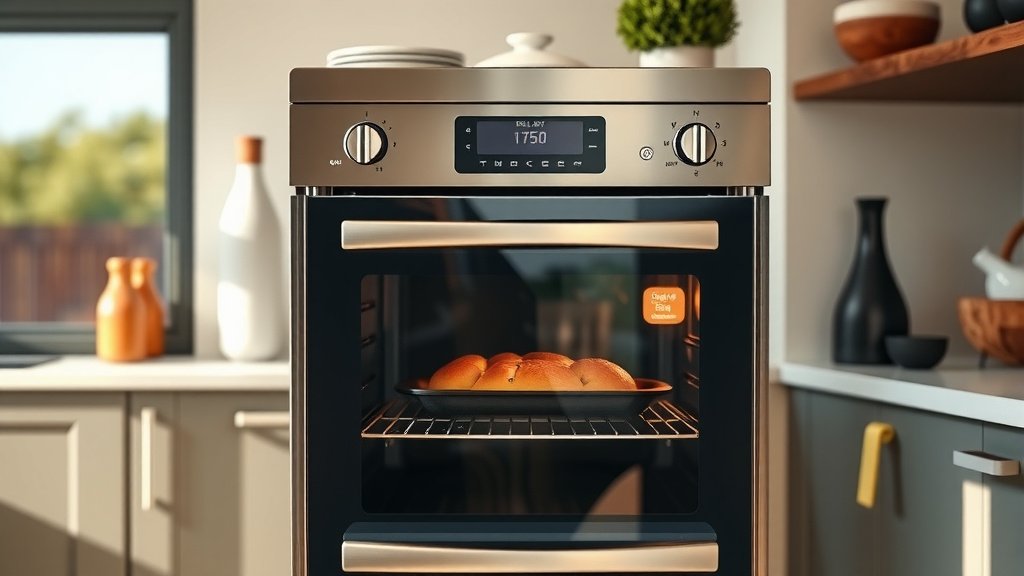
To set delay bake on a double oven, you typically select the desired oven (upper or lower), choose the bake function and temperature, then press a “Delay Start” or “Delay Time” button to enter when you want the baking cycle to begin.
You’ll then specify the total baking duration before confirming the settings, allowing your double oven to start baking at a future, pre-set time.
Here’s the straightforward scoop on setting your double oven to delay bake:
- Find the Delay Start button on your oven’s control panel.
- Select the oven you wish to use – upper or lower.
- Choose your desired baking temperature and duration.
- Set the specific time you want the oven to begin cooking.
- Confirm your settings to activate the delay function.
How To Set Delay Bake On Double Oven?
Setting delay bake on your double oven is like having a kitchen assistant, allowing you to prepare meals ahead of time and have them ready exactly when you need them. You select your desired oven, set the temperature and cook time, then input the future start time.
What Exactly Is Delay Bake?
Delay bake is a super handy oven feature. It lets you program your oven to start cooking at a later time. Imagine prepping a lasagna in the morning, then setting your oven to start baking it just before you get home from work. Pretty neat, right?
This feature works by accepting your desired temperature, bake duration, and a specific start time in the future. We found that most modern double ovens offer this functionality (General Electric Appliances Support).
Why Use Delay Bake in Your Double Oven?
Having a double oven with delay bake opens up a world of convenience. It’s perfect for busy households or when you’re hosting a get-together. You can manage your time better and serve fresh, hot food without being tied to the kitchen at crunch time.
Morning Convenience
Picture this: You wake up, pop your breakfast casserole into the cold oven, and set it to start baking in an hour. While you get ready, the oven does its job, and breakfast is hot and ready when you are. It’s a real time-saver!
Meal Planning Made Easy
For dinner, you can assemble your dish earlier in the day. Set the delay bake for later. When you step through the door, your oven is already at work, filling your home with delicious aromas. This takes a lot of stress out of evening meal prep, we have found.
Getting Started: Basic Delay Bake Steps
While models vary, the core process for setting delay bake on double ovens is quite similar across brands. You’ll interact with the control panel, choosing settings like a seasoned pro.
Locating Your Delay Bake Button
First things first, find the “Delay Start,” “Delay Time,” or “Start Time” button on your oven’s control panel. It might be clearly labeled or combined with another function. Check your owner’s manual if you’re unsure, as many experts recommend (Whirlpool Guide).
Setting the Bake Temperature
Once you’ve pressed the delay button, the next step is to choose your desired baking temperature. Use the numeric keypad or up/down arrows to input the heat setting needed for your recipe. This is usually the first prompt after engaging the delay feature.
Entering Your Desired Bake Time
After setting the temperature, you’ll specify how long you want the food to bake. This is your total cooking time. For instance, if your dish needs 45 minutes, you’d enter that duration. The oven will count down from this time once it starts.
Specifying the Delay Start Time
This is the fun part! You now tell the oven *when* to turn on. If it’s 9 AM and you want the oven to start baking at 4 PM, you’d set the delay start time to 4:00. Many ovens will ask for a specific time of day or a number of hours to delay.
Double Oven Nuances: Upper vs. Lower
The beauty of a double oven is having two independent cooking cavities. This means you can set delay bake on one oven while the other remains off or even in use for something else.
Independent Timers Are Key
Each oven in your double unit typically has its own controls and timer. You can set the upper oven for a delayed bake of chicken and the lower oven for a delayed bake of potatoes. This flexibility is what makes double ovens so powerful.
Considering Different Dishes
When using delay bake on separate ovens, think about what you’re cooking. A casserole in the upper, a roast in the lower? You’ll program each oven separately, giving you amazing control over your meal timing. Just be sure to select the correct oven before setting the delay.
Top Tips for a Successful Delay Bake
Want to make sure your delay bake goes off without a hitch? Here are a few friendly pointers to keep in mind.
Here is a quick checklist to help you:
- Choose Oven: Decide if you’ll use the upper or lower oven.
- Prep Food Properly: Ensure all ingredients are ready and safe.
- Set Correct Temps: Double-check the baking temperature.
- Verify Cook Time: Input the exact required baking duration.
- Confirm Delay Start: Ensure the start time is accurate.
- Secure Oven Door: Close the door firmly for proper operation.
Pre-Prepped Ingredients
Always make sure your ingredients are fully prepped and ready to go into the oven. This means chopping vegetables, mixing batters, or assembling casseroles beforehand. Cold food placed directly in the oven is usually best for delay bake.
Safety First Considerations
When using delay bake, food safety is a big deal. Perishable foods, like raw chicken or dairy-rich dishes, should not sit out at room temperature too long. Many experts suggest limiting the delay time for such items to avoid bacterial growth (USDA food safety guidelines). Aim for a maximum of two hours at room temperature, including the oven’s preheating time before baking begins.
Test Run Your Feature
If you’re new to delay bake, consider doing a “test run” with a simpler dish or even an empty oven. This helps you get comfortable with the controls and ensures everything works as expected. No surprises on dinner night!
Troubleshooting Common Delay Bake Issues
Sometimes things don’t go as planned. If your delay bake isn’t working, don’t fret. Here’s a quick look at common hiccups and solutions.
| Problem | Possible Reason | Quick Fix |
|---|---|---|
| Oven won’t start | Door not fully closed | Push door firmly shut. |
| Delay bake won’t activate | Time of day not set | Set the current time on the oven clock. |
| Wrong start time | Incorrect input | Cancel and re-enter delay settings. |
| Food not fully cooked | Short bake time or low temp | Adjust bake time/temperature next time. |
A common issue is the oven not starting because the clock isn’t set. Many models require the current time to be active for delay functions to work (LG Electronics support materials). Always double-check your current time setting first.
Conclusion
Mastering the delay bake feature on your double oven truly transforms your cooking experience. It’s about giving you back time, reducing stress, and bringing hot, delicious meals to your table exactly when you need them. By following these straightforward steps and keeping a few safety tips in mind, you’ll be a delay bake pro in no time, making your double oven work harder and smarter for you.
Can I Delay Bake Frozen Foods?
Yes, you can often delay bake frozen foods, but be cautious. For safety, ensure the food remains frozen until the oven starts. For best results, use recipes designed for frozen-to-oven cooking, and verify that the delay time isn’t so long that the food might begin to thaw before baking.
What Happens If Power Goes Out?
If the power goes out while delay bake is set, most ovens will cancel the program to prevent food safety issues or unexpected starts. You’ll likely need to reset the clock and reprogram the delay bake once power returns. We found that this is a standard safety feature across many brands.
Does Delay Bake Work for All Oven Modes?
Typically, delay bake is available for standard bake and sometimes roast modes. It usually doesn’t apply to broil, proof, or self-clean cycles. Always check your specific double oven’s manual to confirm which functions support the delay start option, as this can vary by model.
How Long Can I Delay Baking?
The maximum delay time varies by oven model, but it commonly ranges from 12 to 24 hours. However, for food safety, especially with perishables, many experts advise against delaying for more than 1-2 hours after initial prep. Always prioritize food safety over convenience.
Is it Safe to Leave Food in the Oven Overnight?
Leaving perishable food in a cold oven overnight for a delayed start is generally not recommended due to the risk of bacterial growth. Unless the food is shelf-stable, like a baked potato that will be reheated thoroughly, it’s best to limit the “sitting out” time to a minimum before the oven begins to cook (FDA guidelines).
