How to Use a Hamilton Beach Toaster Oven
To use a Hamilton Beach toaster oven, place the rack for your food, choose the cooking mode, set the temperature and time, then check the food as it cooks. Follow the model’s manual because controls and rack positions vary.
On this page (9 sections)
- How do you use a Hamilton Beach toaster oven?
- What do the cooking modes do?
- Where should you place the rack?
- Do you need to preheat the oven?
- What cookware can you use?
- What can help with countertop-oven cooking?
- How do you use the oven safely?
- What should you do if the food cooks unevenly?
- What is the simplest way to get started?
To use a Hamilton Beach toaster oven, set the rack for the food, select the cooking mode, then set the temperature and timer. Model controls and rack positions differ, so use your oven’s manual for exact settings and safety instructions.
If this is your first countertop oven, start with the manual’s setup and safety steps before cooking. Our guide to How To Use A Toaster Oven For The First Time? covers the basic first-use routine.
How do you use a Hamilton Beach toaster oven?
Choose the mode that matches the food, set its temperature and time, and keep an eye on it as it cooks. Hamilton Beach models may have different controls, so confirm what each dial, button, or display does in your manual.
- Put the oven on a stable, heat-safe counter with the clearance specified in the manual.
- Check that the crumb tray and any required accessories are in place.
- Set the rack position for the food and cooking mode.
- Select the mode, then enter the temperature and time.
- Add the food using an oven-safe pan or the accessory specified for your model.
- Check for doneness and remove the food with oven mitts.
Use the time and temperature on the food package or recipe as a starting point, then monitor progress. Small countertop ovens can heat food differently from a full-size oven, and the manual may give guidance for adapting recipes.
A toaster oven’s controls affect how heat reaches the food. For a simple explanation, see How Does A Toaster Oven Work?.
What do the cooking modes do?
Select the mode that matches the way you want the food heated. The available modes and their names vary by Hamilton Beach model, so check the manual before assuming a control works like one on another oven.
A bake mode is generally used for foods that cook throughout, while toast mode is intended for browning bread. Broil directs stronger heat from above on models with that setting; stay nearby and check food often because browning can happen quickly.
Some ovens combine modes or have dedicated functions. If you’re unsure what a setting does, look it up in the manual rather than experimenting with food inside.
How do you set time and temperature?
Set the temperature and timer according to the recipe, package, or manual. If the control is a dial, turn it to the intended mark; if the oven has buttons or a display, follow the model’s instructions for entering each setting.
Some Hamilton Beach ovens may require a separate timer setting to begin heating. Check whether the timer needs to be turned past a minimum point before setting the desired time, and learn how your model signals that cooking has ended.
Avoid leaving food unattended, especially during broiling or toasting. If it starts to smoke, follow the manual’s emergency directions and switch off the oven safely.
Where should you place the rack?
Use the rack position recommended for the food and mode in your manual. Keep enough room between the food and heating elements, and make sure the rack can move without hitting the door or pan.
A higher rack position may place food closer to the upper element, which can change browning. A lower position gives more space above taller dishes, but the best location depends on your oven’s design.
Use the supplied rack or an accessory approved for the model. For another brand's controls and cooking modes, read how to use a Breville toaster oven.
For a different brand’s controls and setup, read How to Use a Cuisinart Toaster Oven.
Do you need to preheat the oven?
Preheat only when the recipe, food package, or manual calls for it. Use the method described for your model, since an oven may indicate readiness differently or may not have a preheat signal.
If you add food before preheating when a recipe expects a hot oven, the cooking time and result may change. When the recipe gives a range, begin checking toward the early end and continue until the food is done.
What cookware can you use?
Use pans and dishes labeled oven-safe and sized to fit your oven. Leave room for heat to circulate, and make sure the door closes fully without touching the cookware.
Avoid plastic, paper, or other materials that the manual or packaging doesn’t identify as oven-safe. Don’t cover a tray or interior surface with foil unless the model’s instructions allow it.
For a different countertop oven style, What Is A Countertop Oven? explains how these appliances compare with other ovens.
What can help with countertop-oven cooking?
The products below offer examples of other countertop cooking designs. They are not Hamilton Beach ovens, so follow each product’s own instructions.
The Presto 03430 Pizzazz Plus Rotating Oven has a continuously rotating tray and separately controlled top and bottom heating elements, which can help when you want dedicated controls for pizza or other convenience foods. For another countertop oven option, compare Ninja toaster ovens.
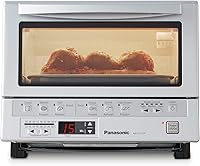
The Panasonic FlashXpress has six one-touch cooking controls, plus manual temperature and timer settings. For a different brand's countertop models, compare Cuisinart toaster ovens.
Its rack connects to the door and moves toward you as the door opens.
The white Panasonic FlashXpress has six cooking menus, manual temperature control, and an inner tray sized for pizza up to 9 inches or up to four slices of bread.
How do you use the oven safely?
Keep the oven clear around its vents and heating elements, and use oven mitts when handling hot cookware. Follow the manual’s rules for placement, cleaning, and materials that can go inside.
Keep the cord away from hot surfaces and the oven away from curtains, paper, or other items that could catch fire. Don’t leave the appliance unattended while it’s running.
Unplug the oven and let it cool before cleaning. Remove crumbs from the tray as directed by the manual, since accumulated food can smoke or burn.
For help choosing a model that’s easier to operate, see Best Toaster Oven For Seniors. You can also read How Does A Countertop Oven Work? for a broader look at countertop heating.
What should you do if the food cooks unevenly?
Check the rack position, pan fit, and cooking mode first. Crowded cookware or a pan that blocks airflow can affect how heat reaches the food.
Rotate the pan only if the manual allows it and you can do so safely. If one side browns faster, lower the rack or adjust the time based on the manual and recipe, then check the food more often.
If the oven’s controls don’t match the instructions or it heats unexpectedly, stop using it and contact Hamilton Beach support. Don’t try to repair internal electrical parts yourself.
What is the simplest way to get started?
For your first meal, choose a familiar recipe, use the manual’s rack and mode guidance, and check the food before the full cooking time has passed. This gives you a chance to learn how your particular oven browns and heats.
Pick the mode that fits the food, use oven-safe cookware, and follow the manual whenever its directions differ from general advice. Once you know your model’s controls, you can adjust future cooking using the recipe and the food’s doneness.
Frequently asked questions
Do you need to preheat a Hamilton Beach toaster oven?
Check your model’s manual and the food directions. Some cooking modes or recipes call for preheating, while others may not.
If preheating is required, let the oven reach the stated temperature before adding food, and avoid relying on a preset or indicator unless your model’s instructions explain what it means.
Where should the rack go in a Hamilton Beach toaster oven?
Use the rack position named in your model’s manual or recipe. A higher position can put food closer to the top element, while a lower position gives more space above the food; the right position depends on the mode, food size, and clearance needed.
Can you use aluminum foil in a Hamilton Beach toaster oven?
Only use foil where your specific model’s manual and food instructions allow it. Keep foil away from heating elements and avoid blocking openings or covering a crumb tray unless the manual says to do so.
Incorrect placement can interfere with heating or create a fire risk.
How do you clean a Hamilton Beach toaster oven?
Unplug the cooled oven before cleaning, then remove and wash only the parts the manual identifies as removable. Wipe the interior with an approved method, and make sure the crumb tray is clean and dry before replacing it.
Never immerse the appliance or use harsh cleaners unless the manual permits them.